A good mobile casino earns its place once you open a game, not just on its welcome screen. The stake, spin button and cashier should be easy to use without zooming. Wild Casino is our first choice for real money mobile play, with slots, blackjack and live tables in one place. Cafe Casino stands out for Hot Drop Jackpots, while Love2Play keeps the slots lobby simple.
All five picks work through an iPhone or Android browser, so you don’t need a separate download. Super Slots is worth comparing for slot search and video poker; BUSR adds sports betting and horse racing to the same account. The differences go beyond the games: Cafe has separate card and crypto offers, Love2Play spreads its welcome package across three deposits, and cashout terms vary by payment method.
Updated September 14, 2026. We may earn a commission when you join through our casino links.
Best Mobile Casinos for Real Money
#1Best overall choice
Wild Casino
Slots, blackjack and live dealers, with a casino menu that keeps the games easy to find.
Bitcoin cashouts from $20. Wild lists processing within 24 hours.
Welcome offer250% up to $9,000Code: OC2
Check which games count toward the OC2 bonus and how much you need to wager.
Also in this guide: Super Slots for slot search and browsing, and BUSR for casino games, sports betting and racing.
Check availability and local rules before joining.
Our Mobile Casino Reviews
1. Wild Casino
Best overall choice
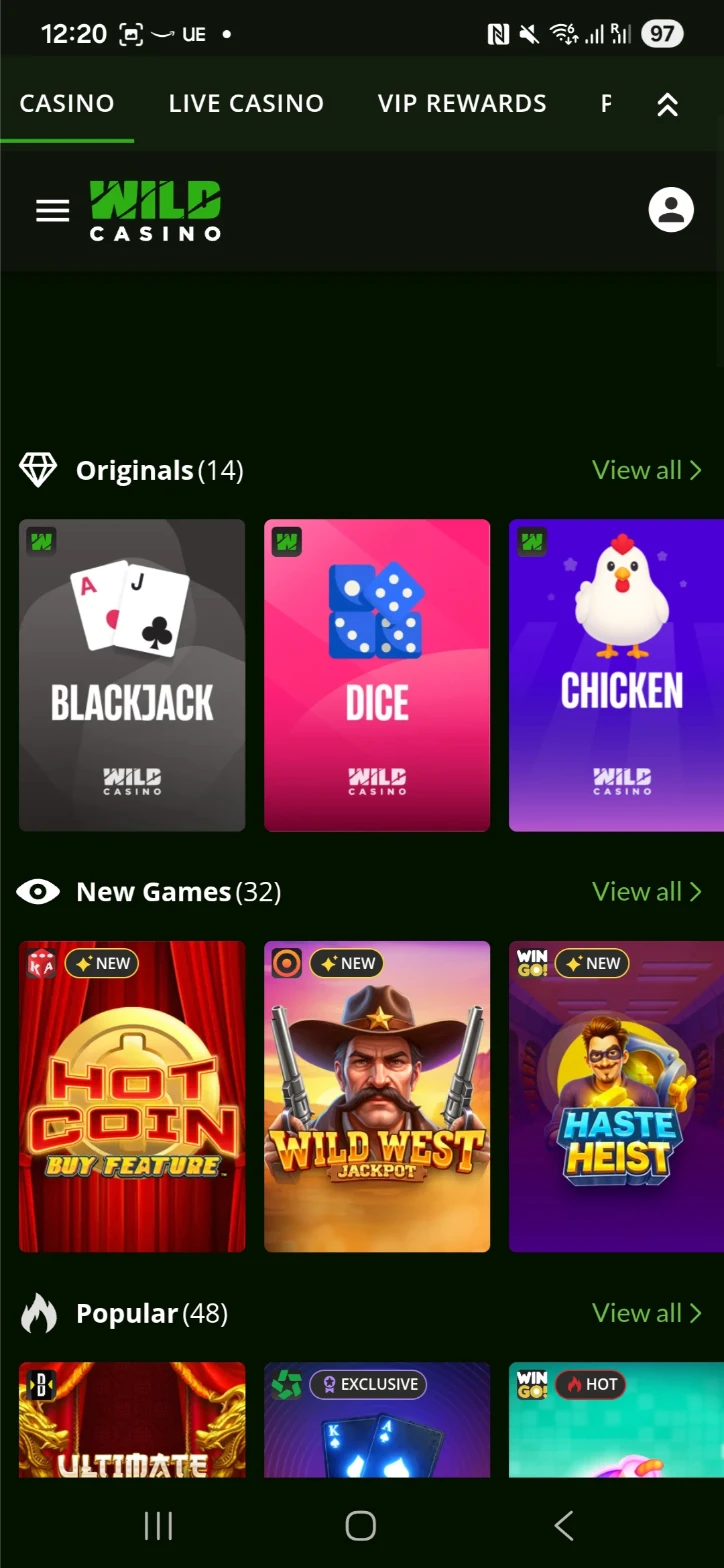
Wild is the best starting point in this list if you like a bit of everything. You can move from slots to blackjack or live dealer tables without working around a sportsbook. That matters on a phone, where a crowded menu soon becomes annoying. We’d choose it for the casino selection first, with the welcome offer as an extra.
Wild Casino on mobile
AccessMobile browser on iPhone and Android
GamesSlots, table games and live dealers
Welcome offer250% up to $9,000 with OC2
Blackjack isn’t limited to one version: Wild lists single deck, 21 Burn Blackjack and Pirate 21. There are American and European roulette games too, along with Jacks or Better and Deuces Wild video poker. That gives you more to explore than a lobby full of similar slots.
The mobile categories sit above the game grid, which helps when you know whether you want reels or a table. For live roulette, turning the phone sideways gives the betting layout more room. Slots and simpler blackjack layouts are easier to work with on a smaller screen.
Wild lists Bitcoin withdrawals from $20, no casino withdrawal fee and processing within 24 hours. Card deposits have a different catch: a three calendar day wait can apply before withdrawing. That’s a useful distinction if you switch between cards and crypto.
The welcome offer is 250% up to $9,000 with OC2. Check the eligible games and wagering attached to that offer, particularly if you plan to play tables as well as slots.
Where another site fits better: Wild doesn’t include a sportsbook. BUSR is the choice here for casino games alongside sports and racing.
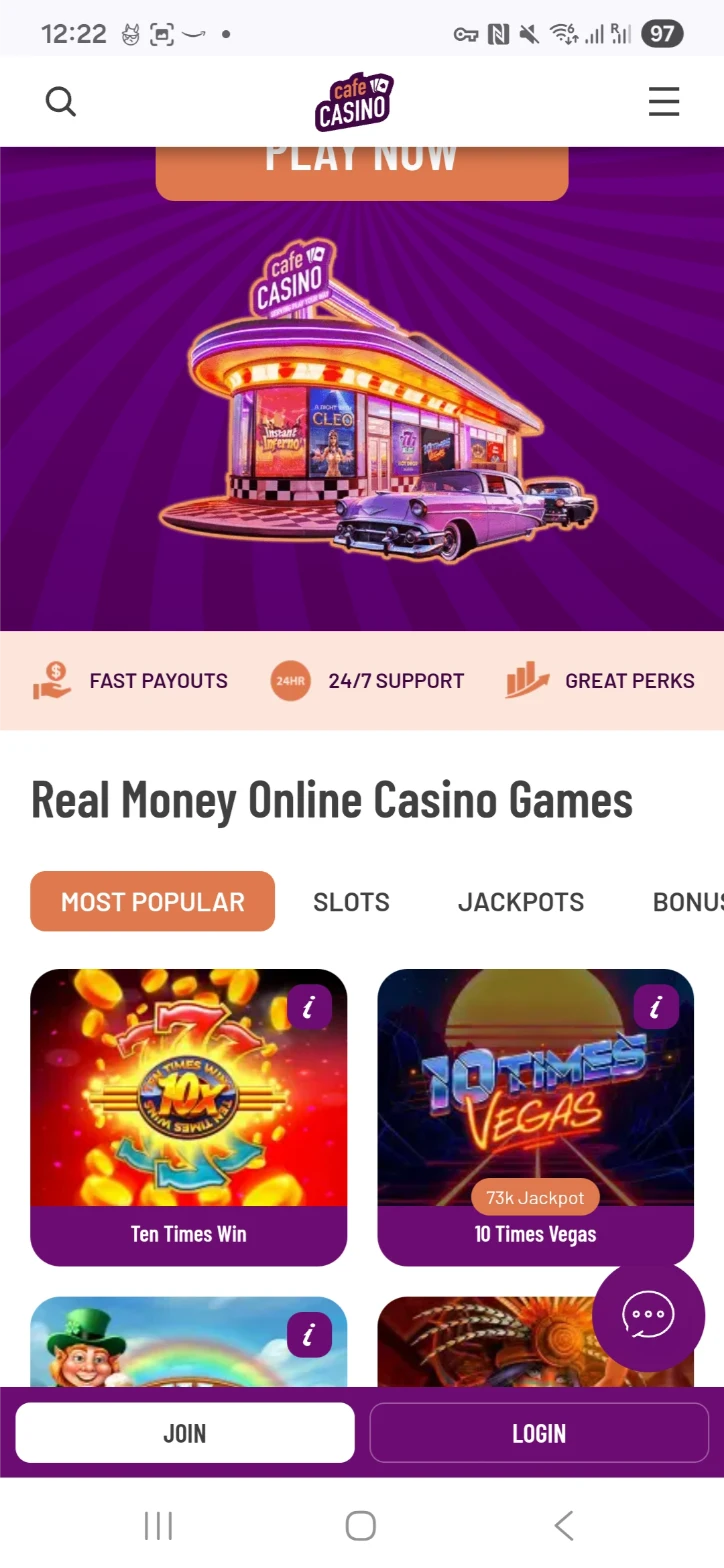
Cafe would be our pick for a player who goes straight to the jackpot slots. Hot Drop Jackpots have their own section, and the clean lobby makes it easy to move between new games, regular slots and table games. It’s a good contrast to Wild if you’re more interested in the reels than a long list of blackjack variants.
Cafe Casino on mobile
AccessMobile website; no download required
Slots to look forA Night with Cleo and Cai Fu Dai Panda
Welcome offers300% crypto or 200% card deposit match
Look for A Night with Cleo Hot Drop Jackpot, or browse regular slots such as Cai Fu Dai Panda and 3 Pots of Coins. The Hot Drop section separates its hourly, daily and Epic jackpots. You can also switch to blackjack, live dealers or video poker without leaving the casino account.
Cafe’s Bonus Eligible category is especially useful on mobile. Instead of opening one slot after another to see where a promotion works, you have a starting list. Individual games can still contribute differently toward wagering.
The crypto welcome offer is 300% up to $2,000 plus 150 free spins. For card deposits, it’s 200% up to $1,500 plus 75 free spins. Both require $20. The match has 40x playthrough and a seven day expiry; free spins arrive over three days.
Visa, Mastercard, Bitcoin, Litecoin and Ethereum are among the deposit options. Withdrawal methods are listed separately in the cashier. A card deposit doesn’t necessarily mean a card cashout, so compare that part of the account before choosing how to pay.
Bonus deadline: The welcome match expires after seven days. That short window matters more than the headline percentage if you only play occasionally.
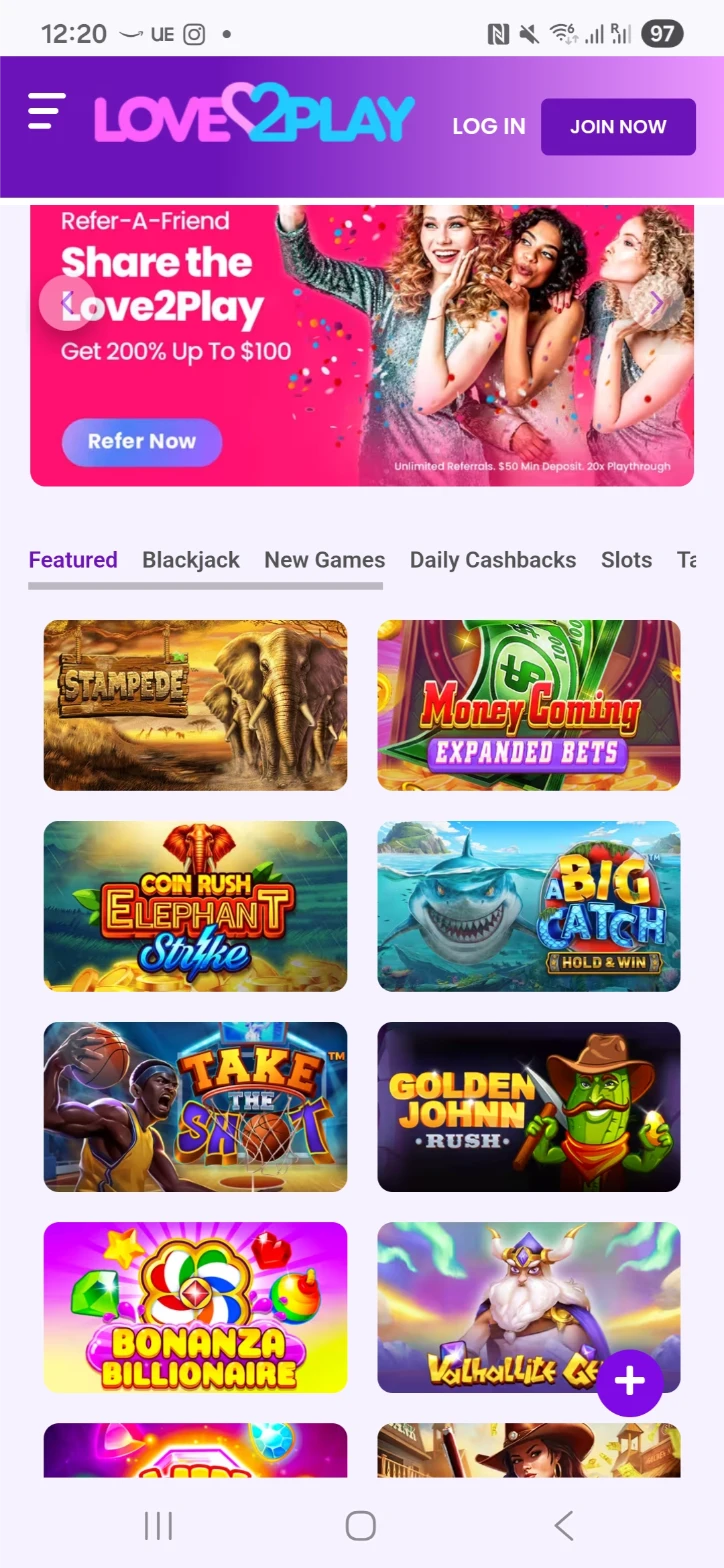
Love2Play is the simpler slots choice. Games sit two across rather than being squeezed into a tight grid, so names and artwork are easier to pick out on a small phone. If you find a casino and sportsbook menu distracting, this is the one we’d compare with Cafe for a more straightforward browse.
Love2Play on mobile
AccessMobile browser
First welcome match150% up to $1,000
Later welcome matches100% up to $1,000 on each of two deposits
The catalog includes Iggy Racing, Pho Sho and Storage Deals. The game pages give you the rules and bet settings, which is more useful than choosing on the artwork alone. Iggy Racing’s listing, for example, starts at $0.20 a spin, while Storage Deals lists a $1 minimum. That is a noticeable difference for a smaller session budget.
Love2Play’s 350% up to $3,000 welcome package covers three deposits. The first match is 150% up to $1,000 with L2WELCOME. The second and third are 100% up to $1,000 each with L2RELOAD. Bonus cash has 40x playthrough.
Bitcoin, Litecoin, Bitcoin Cash and Ethereum deposits start at $20; Visa and Mastercard start at $45. The welcome matches have higher thresholds: $50 for the first and $100 for each of the next two. A $20 crypto deposit is therefore a way to fund the account without taking that welcome bonus.
We’d choose Love2Play for the simpler lobby and the ability to start below the bonus threshold, rather than for the combined 350% headline. The first offer is the one to compare if you only plan to deposit once.
First deposit, not the whole package: Your first match is 150%. Reaching the full advertised package takes three separate qualifying deposits.
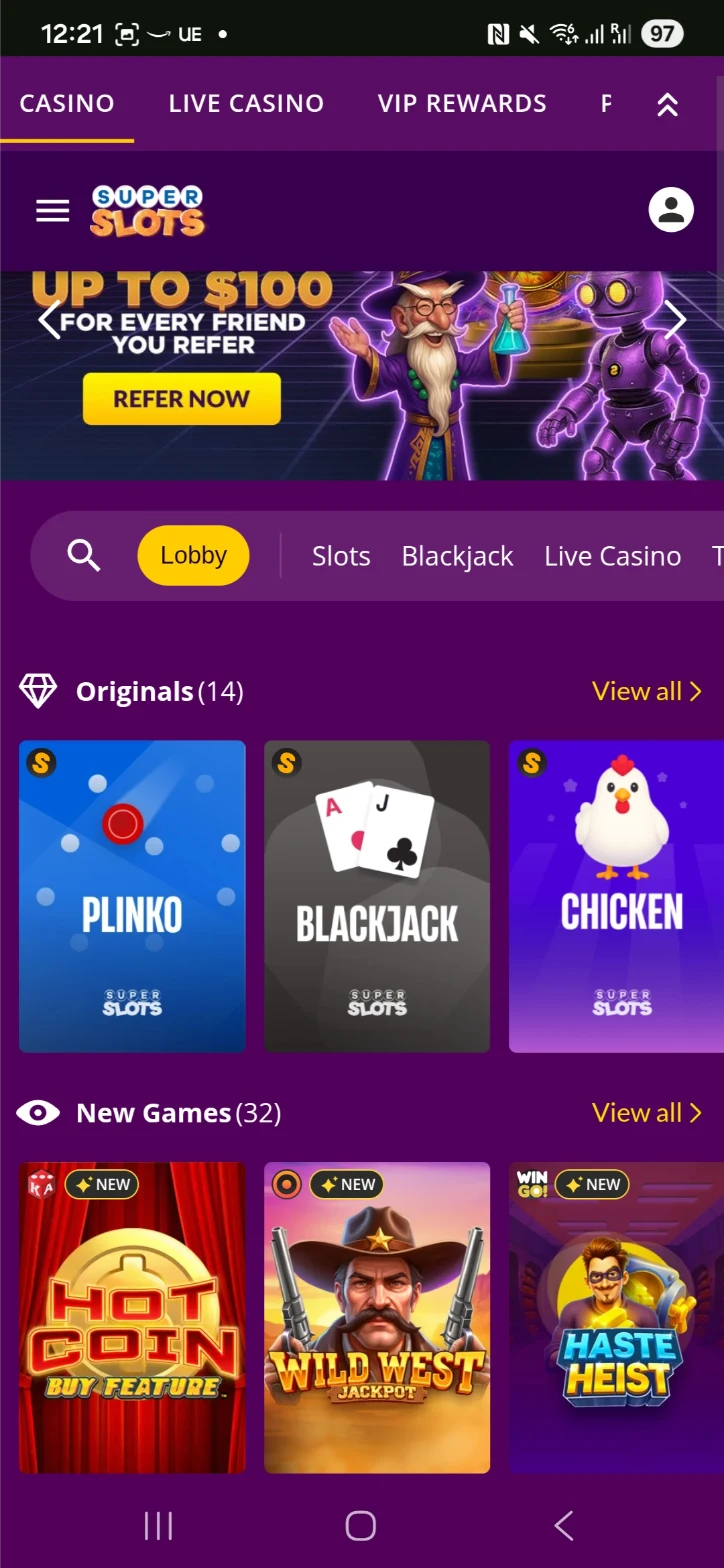
Super Slots suits a player who already has a game in mind. Search and categories sit near the top, and the tighter grid puts more titles on the screen at once. Love2Play gives each game more space; Super Slots gets more of the catalog in front of you. Which feels better depends on how you like to browse.
Super Slots on mobile
AccessMobile browser
LobbySearch, slots and video poker
Bitcoin cashoutFrom $20; published processing within 24 hours
There is more here than slots. Super Slots also lists blackjack, roulette, baccarat and video poker, including Jacks or Better, Deuces Wild and Joker Poker. That makes it worth comparing if you spend most of your time on slots but like a few card games in the same account.
Use search for a familiar title and the categories when you want something different. The lobby stays upright, while individual games can use a wider layout. Turning the phone sideways is often the more comfortable way to read a table or a detailed paytable.
For Bitcoin, the published withdrawal terms are a $20 minimum, no casino fee and processing within 24 hours. Other cryptocurrencies have their own fees. Compare the payment method you actually use rather than assuming the Bitcoin terms cover every coin.
The welcome package is up to $6,000 with OC250. Its game restrictions, wagering and expiry are part of the offer, so compare those alongside the package size. For a slots player, the searchable lobby and cashout minimum are the more practical reasons to put Super Slots on the shortlist.
The tradeoff: The compact grid looks busier than Love2Play. The larger tiles there may suit you better on a smaller phone.
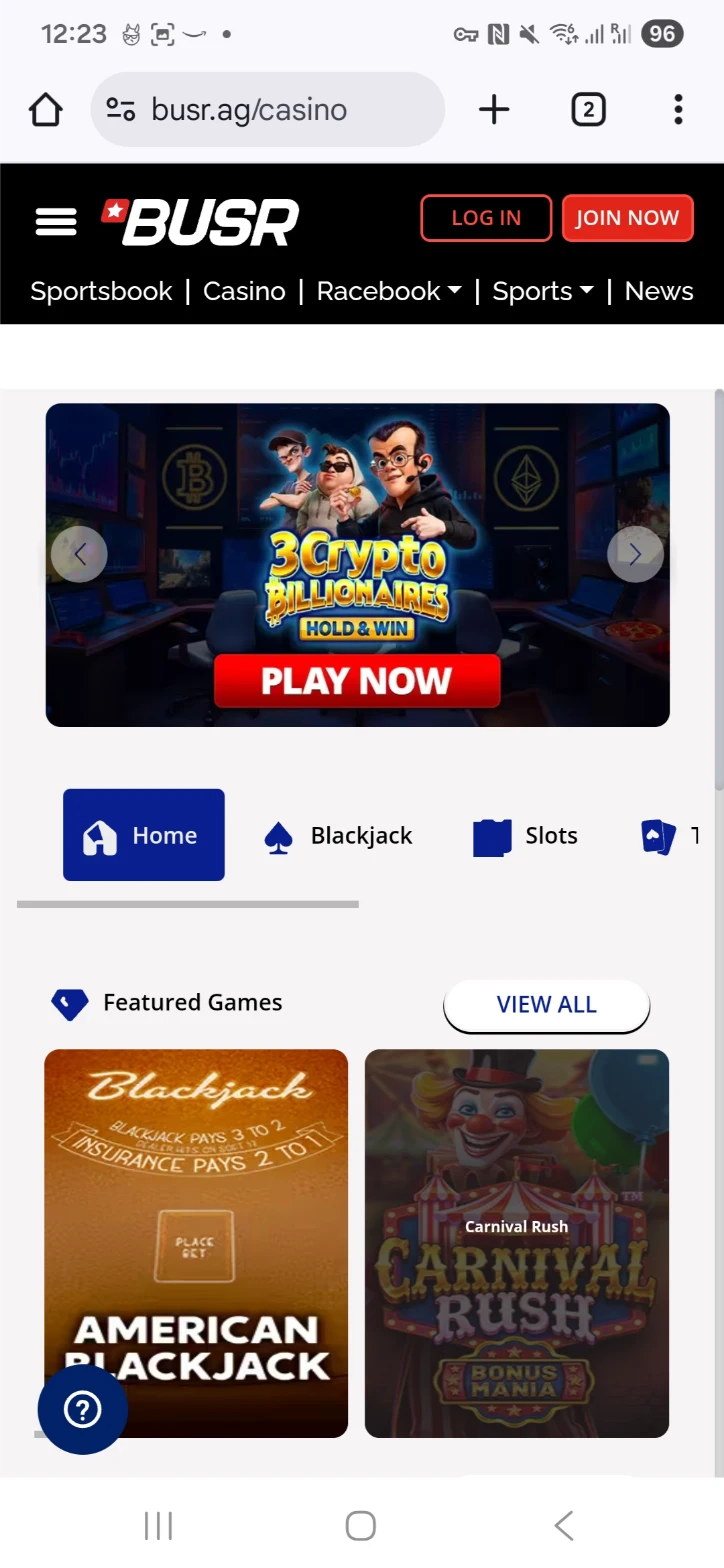
BUSR is the pick for someone who wants slots, sports betting and horse racing in one account. Casino, Sportsbook and Racebook sit in the same mobile menu, so switching between them is straightforward. For casino play alone we’d start with Wild or Cafe; BUSR makes more sense when you’ll use the other betting sections too.
BUSR on mobile
AccessMobile browser; no app required
ProductsCasino, sportsbook and racebook
Casino bonus200% up to $2,000 with SLOTS200
You can open the casino through the browser on iPhone or Android. The shared menu is the useful feature here: you don’t need to juggle a separate account just to move from a casino game to the sportsbook. It does leave less space for the casino lobby than a site focused only on casino games.
BUSR’s casino welcome offer is 200% up to $2,000 with SLOTS200, starting with a $100 deposit. A $100 qualifying deposit would receive $200 in Casino Cash. The bonus has 40x wagering on bonus funds and expires two weeks after credit.
Casino Cash belongs to the casino promotion. The sportsbook and racing sections can have separate offers, so treat those balances and bonus rules separately even though the account menu is shared.
BUSR lists Bitcoin, Ethereum and Litecoin funding, with crypto withdrawal processing advertised within 24 hours. For a player who already uses a mobile wallet, that keeps the banking side in the same phone session as the casino.
Higher bonus minimum: The casino offer needs a $100 deposit, compared with $20 at Cafe. That is the promotion threshold, not a claim about the lowest ordinary cashier deposit.
We’d start with the games you play most. Wild has the broadest appeal here for slots and tables; Cafe gives jackpot players a clear reason to choose it. Love2Play and Super Slots offer two different ways to browse slots, while BUSR earns its place by combining the casino with sports and racing.
Then compare the everyday details: finding a title, reading the stake, funding the account and withdrawing. A home screen icon is convenient, but it doesn’t make a restrictive bonus or a high cashout minimum any better. The five reviews use those practical differences rather than treating the largest bonus as the automatic winner.
Mobile Casino Games: Slots, Blackjack and Live Dealers
Slots are the obvious starting point on a phone, but they’re not the only option. Blackjack works well with a simple table layout, and live dealer games add a real table to the screen. Here’s where we’d start in this five-casino list.
Game
Where we would start
What matters on mobile
Slots and jackpots
Cafe for Hot Drop Jackpots; Love2Play or Super Slots for browsing.
A clear stake display and a spin button you can reach comfortably. Check whether the title plays upright or sideways.
Blackjack
Wild for different blackjack versions; Cafe for a change from slots.
Separate Hit, Stand, Double and Split controls. The payout and dealer rules matter more than the size of the table artwork.
Live dealer
Wild or Cafe.
Enough room for the video, betting controls and timer. Landscape mode is useful for roulette grids and side bets.
Video poker
Wild, Cafe or Super Slots.
Readable paytables and clear Hold buttons. A tablet is useful when comparing paytables or keeping a strategy reference open.
For more game choices, see our real money slots guide and live dealer casino guide. On a phone, a simple table you can read comfortably beats a busier one with controls crowded around the edges.
Mobile Casino App or Browser: Which Should You Use?
A mobile casino app is something you install; a mobile casino website opens in Safari or Chrome. The five sites in this guide all offer browser access, so you can play without a separate casino download. A saved home screen icon is a convenient third option.
Browser casino
Open the website, sign in and choose a game. There’s no separate installation to manage, and you can use the same account when switching between phone and computer.
Home screen icon
Save the casino website beside your other apps. Depending on the browser and site, it opens in a browser tab or its own web window. It still uses your existing account.
Native app
A separately installed app can have its own navigation and features. It isn’t automatically better: the game selection, controls and cashier are still what you use every time you play.
How to Play on iPhone and Android
Playing on iPhone or iPad
Open the casino in Safari and sign in, or create an account. The casino games and cashier are available through the website.
To save it, open the Share menu and choose Add to Home Screen. Where shown, turn on Open as Web App to open it in its own window.
Choose a name and tap Add. Use that icon next time, or carry on playing in Safari.
Playing on Android
Open the casino directly in Chrome. Sign in and use the game categories or search to find a title.
To save a shortcut, open the three-dot menu, choose Install and create shortcut, then Create shortcut.
Name the shortcut and tap Add. You can also leave the site in a browser tab and return to it there.
For a separate app download, follow the casino’s own link and check the developer before installing. Apple and Google instructions are linked at the bottom of this guide.
Mobile Casino Bonuses: Compare What You Get
The useful comparison is what your planned deposit gets, not just the largest percentage. Cafe gives a different match for cards and crypto. Love2Play spreads its package over three deposits. BUSR has a higher qualifying deposit, but its offer is one 200% casino match.
A $100 deposit: first match or full package?
At Love2Play, a $100 first deposit earns $150 in bonus credit. BUSR’s 200% offer would add $200 to the same qualifying deposit. Those amounts are bonus balances with wagering attached, rather than immediately withdrawable cash.
Love2Play’s 350% headline adds three matches together. Taking a $100 deposit at each stage gives this result:
Example: a $100 deposit at each welcome stage.
Deposit
Match
Bonus on a $100 deposit
First
150%
$150
Second
100%
$100
Third
100%
$100
That is $350 in bonus credit across $300 in deposits, not a 350% match on each deposit. Each stage is independent, so you can take the first offer without taking the later ones.
What does 40x wagering mean in dollars?
A $150 bonus with 40x wagering on the bonus requires $6,000 in eligible bets. If a different offer applies 40x to a $100 deposit plus the $150 bonus, that becomes $10,000. The wording changes the calculation considerably.
Game contributions, maximum bets and expiry dates matter too. Cafe’s welcome match lasts seven days; BUSR’s Casino Cash offer lasts two weeks. Compare these terms with your usual games and session length. Our casino bonus guide covers the different types of offer, including when playing without a bonus is simpler.
Mobile Casino Deposits and Withdrawals
The cashier works from the same phone as your games. The main choice is how to fund the account and which method you’ll use to cash out. Check both before depositing, because the withdrawal options can differ from the deposit list.
Card deposits
Choose the card option and review the amount and any fee before confirming. Cafe and Love2Play list Visa and Mastercard. A card can be accepted for deposits without being a withdrawal option.
Crypto deposits
Select the coin and network in the cashier, copy the deposit address and paste it into your wallet. Check the full address, network and amount before sending. That is easier than scanning a QR code on the same phone.
Mobile withdrawals
Open the withdrawal menu, choose an available method and enter the amount and destination. Complete any required identity checks or bonus wagering, then keep the request confirmation.
How long do mobile casino withdrawals take?
Wild and Super Slots list Bitcoin processing within 24 hours, with a $20 minimum and no casino withdrawal fee. These are the casinos’ published processing terms. Account checks and network confirmations can add time before the funds arrive in your wallet.
Most phone problems fall into one of four groups. Start with the symptom, and check your game history before repeating a bet after a frozen screen.
A spin froze
Reopen the game and check your balance and history. If the result is missing, give support the game name, time, stake and round number where available.
A live table keeps buffering
Pause, close unused tabs and check the connection. Let the phone cool down if it feels hot, then reopen the stream before betting again.
Login keeps looping
Open the casino directly in Safari or Chrome and try again. Clearing that site’s saved data may help, but make sure you have your login and recovery details first.
The controls run off the screen
Turn off desktop-site mode and rotate the phone if the game needs landscape. Use a different game or a larger screen if the stake and buttons remain hard to read.
Mobile Casino FAQ
What is the best mobile casino for real money?
Wild Casino is our first pick for a mix of slots, blackjack and live tables. Cafe is our choice for Hot Drop Jackpots, while Love2Play has the simpler slots lobby. Super Slots suits slot search and video poker; BUSR combines the casino with sports and racing.
Can I play real money casino games on an iPhone?
Yes. The five casinos in this guide offer mobile browser access. Open the website in Safari and sign in to use the games and cashier. You can also save the site to your home screen for easier access.
Do these mobile casinos work on Android?
Yes. You can open all five through Chrome on an Android phone. Use the full browser, then choose a game from the lobby or search. A separate APK download isn’t needed for browser play.
Do I need to download a mobile casino app?
No. A browser casino opens directly as a website. Saving a home screen icon makes it easier to return, but it is different from installing a native app. Both routes should be judged on the games, controls and cashier they offer.
Which mobile casinos have live dealer games?
Wild Casino and Cafe Casino both offer live dealer games alongside slots and regular table games. We’d start with those two in this comparison. A steady connection and enough space for the betting controls matter more for live tables than for a simple slot.
Can I withdraw winnings from my phone?
Yes. Open the withdrawal section in your casino account, choose an available method and enter the amount and destination. The same cashout minimums, fees, identity checks and bonus wagering apply when using a phone.
Is the minimum deposit the same as the bonus minimum?
Not always. Love2Play lists some crypto deposits from $20, while its first welcome bonus requires $50. Cafe’s welcome offer needs $20 and BUSR’s SLOTS200 offer needs $100. Compare the cashier minimum separately from the amount needed for a promotion.
Does a 350% package mean a 350% first deposit bonus?
Not with Love2Play. Its first match is 150%, followed by two 100% matches, each capped at $1,000. The 350% headline combines those three percentages. Each stage has its own qualifying deposit and bonus wagering.
What happens if my connection drops during a game?
Check your balance and game history before betting again. If the result is missing, note the game, time, stake and round number where available, then contact support. A frozen animation does not tell you whether the bet was accepted.
Which Mobile Casino Would We Choose?
We’d start with Wild for slots and tables, or Cafe if Hot Drop Jackpots are what bring you back. Love2Play has the simpler slots lobby; Super Slots puts more games in view at once. BUSR is the useful choice when sports and racing belong in the same account. Pick the games you actually want, then compare the bonus and the way you’ll cash out.