A mobile casino has to work once you open a game, not just on the welcome screen. We opened all 10 casinos below on a phone and took our own screenshots, so you can swipe through the real lobbies before you sign up. We’ve also cashed out from 9 of them, and the fastest paid us in 42 minutes.
We may earn a commission if you sign up through our links. It doesn’t change our test results or what you pay. These casinos are offshore and aren’t licensed by any US state.
How fast they paid usReal withdrawals at casinos in this guide.
IgnitionLitecoin42 minFastest$500, approved in 35 minutes
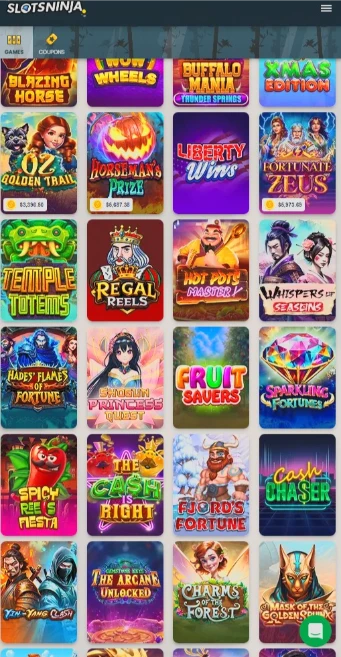
Slots NinjaBitcoin45 minAccount already verified. Our September test took 7 hours
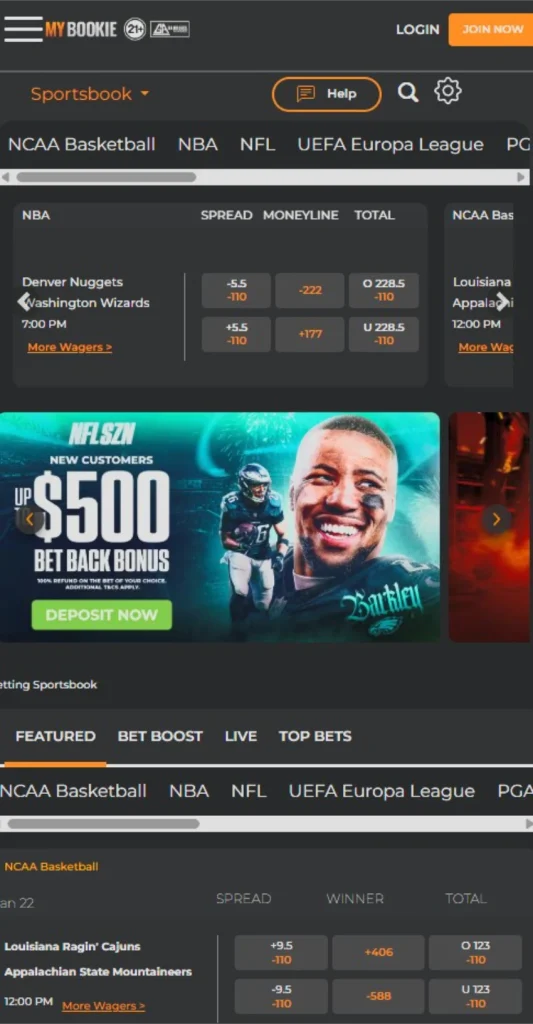
MyBookieBitcoin47 minSecond withdrawal. The first took 24 hours while ID checks cleared
Time from our withdrawal request to money received. Bars use a log scale so quick and slow payouts fit on one chart.
Mobile Casinos on a Phone: Swipe Through the Real Lobbies
Every screenshot below comes from a phone, in the order we rank the casinos. Swipe, use the arrows or tap a name to compare the lobbies before you hand over a deposit.
Phone preview
Swipe or tap a casino
What we found on a phone, how fast each one paid us and the offer you get through our link.
#1 Best overallWild Casino
On a phone
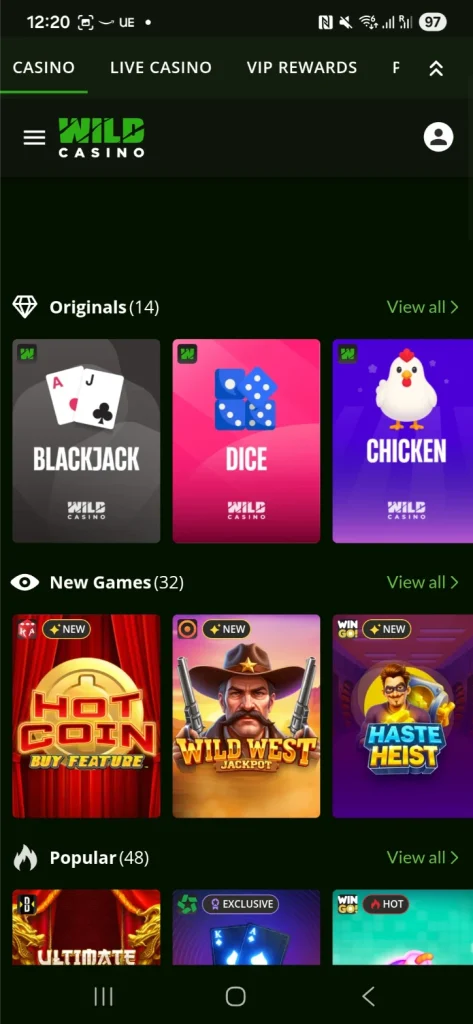
Categories sit above the grid, so tables are easy to find
Slots, blackjack, roulette, video poker and live tables in one lobby, with the categories above the game grid so you're not scrolling forever. Bitcoin paid us in 3 hours 57 minutes.
Watch forPay in by card and Wild may make you wait three calendar days before you can withdraw. Check which games count toward the OC2 bonus.
18+ and location rules apply. Check the live offer and cashier before depositing.
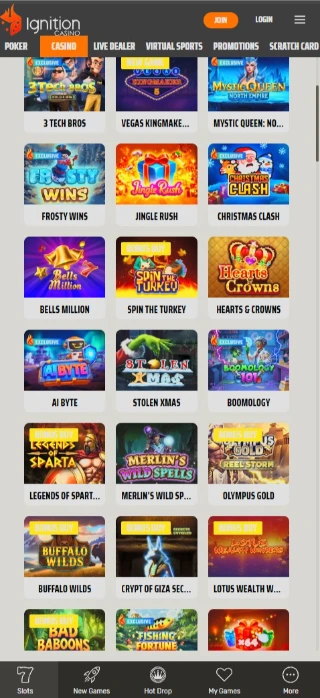
Poker, casino games, rewards and the cashier sit under one login in your phone browser, and the poker tables resize for portrait. Our $500 Litecoin withdrawal landed in 42 minutes, the fastest of all our tests.
Watch forIgnition says reviews usually take 24 to 48 hours, so treat 42 minutes as a good day. The best welcome offer is for crypto deposits.
18+ and location rules apply. Check the live offer and cashier before depositing.
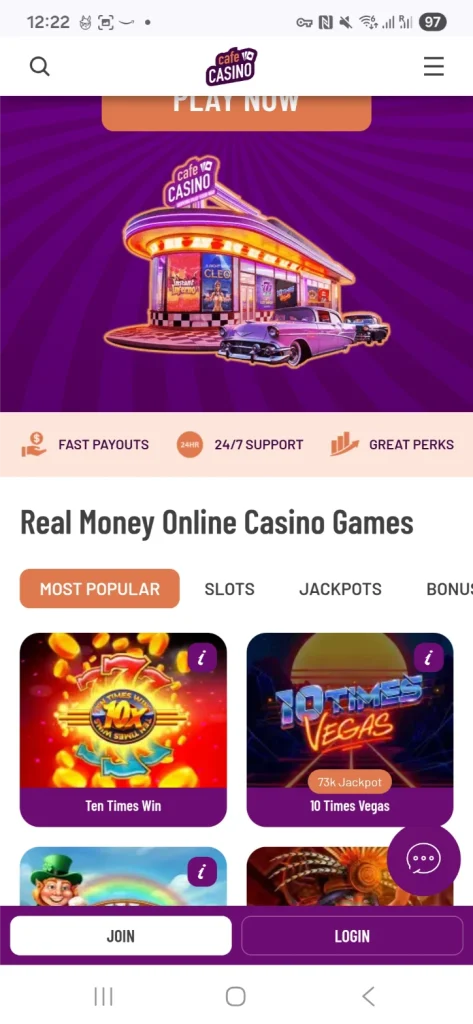
Hot Drop Jackpots get their own section with hourly, daily and Epic prizes, and a Bonus Eligible tab shows where your bonus works. Cards and crypto both work in the cashier.
Watch forThe match expires after seven days and Hot Drop games count 0% toward wagering. We haven't timed a Cafe payout yet.
18+ and location rules apply. Check the live offer and cashier before depositing.
Android users can add MyBookie to the home screen as a web app. Sports, casino and racing share one login, and Bitcoin paid us in 47 minutes once we were verified.
Watch for: Our first withdrawal took 24 hours while ID checks cleared. Deposits must be played through once before you cash out.
18+. Offers come from our latest casino reviews and change often, so check the cashier before you deposit. OC2 and OC250 are exclusive to OnlineCasinos2.
Our Mobile Casino Reviews
Our top five in more detail: what each one is like on a phone, what we’d play and what to check before you deposit.
Wild Casino lobby
#1Payout tested by us
Wild Casino: Best Mobile Casino Overall
Our Bitcoin payout3 h 57 minBitcoin from $20, up to $100,000 a week
Welcome offer
250% up to $9,000
Promo code
OC2
Best for
Slots, blackjack and live tables on one phone
Our take
Wild is the best place to start if you like a bit of everything. You can move from slots to blackjack or a live table without working around a sportsbook, and the categories sit above the game grid, so you’re not scrolling past hundreds of slots to find a table.
Blackjack isn’t limited to one version: Wild lists single deck, 21 Burn Blackjack and Pirate 21, plus American and European roulette and Jacks or Better and Deuces Wild video poker. Live roulette is easier with the phone turned sideways. Our Bitcoin withdrawal arrived in 3 hours 57 minutes, inside the 24 hours Wild quotes.
Why we like it
Categories above the grid, so tables are easy to find
Three blackjack versions plus live dealers
250% up to $9,000 with our exclusive code OC2
Watch out for
No sportsbook, if you want sports in the same account
Card deposits can mean a three-day wait before you withdraw
18+. Offers change, so check the cashier before you deposit.
Ignition lobby
#2Payout tested by us
Ignition: Fastest Payout and Best for Poker
Our Litecoin payout42 minFastest of all our tests
Welcome offer
150% up to $1,500 (crypto), casino or poker, one per player
Promo code
None needed
Best for
Poker players and quick crypto cashouts
Our take
Ignition is the one to pick if you play poker. Poker, casino games, rewards and the cashier all sit under one login in your phone browser, the poker tables resize for portrait and Zone Poker is there too. The tournament search filters by game, buy-in, limit and start time, which saves a lot of scrolling on a small screen.
It also gave us our fastest payout. A $500 Litecoin withdrawal was approved in 35 minutes and in our wallet after 42. Ignition is the only casino here with Bitcoin Lightning, which starts at $10 and allows up to $10,000 per request.
18+. Offers change, so check the cashier before you deposit.
Cafe Casino lobby
#3Reviewed by us
Cafe Casino: Best for Jackpot Slots
Welcome offer
300% up to $2,000 + 150 free spins (crypto)
Promo code
None needed
Best for
Hot Drop Jackpot fans
Our take
Cafe is our pick if you go straight to the jackpot slots. Hot Drop Jackpots have their own section, split into hourly, daily and Epic prizes, and the lobby keeps new games, regular slots and table games one tap apart. A Night with Cleo is a good place to start, or try Cai Fu Dai Panda and 3 Pots of Coins.
The Bonus Eligible tab is handy on a phone, because you don’t have to open game after game to see where your bonus works. Crypto deposits get 300% up to $2,000 plus 150 free spins, card deposits 200% up to $1,500 plus 75 spins. Both need $20, carry 40x playthrough and expire after seven days.
Why we like it
Hot Drop Jackpots in their own section
A Bonus Eligible tab saves guesswork
Visa, Mastercard, Bitcoin, Litecoin and Ethereum deposits
18+. Offers change, so check the cashier before you deposit.
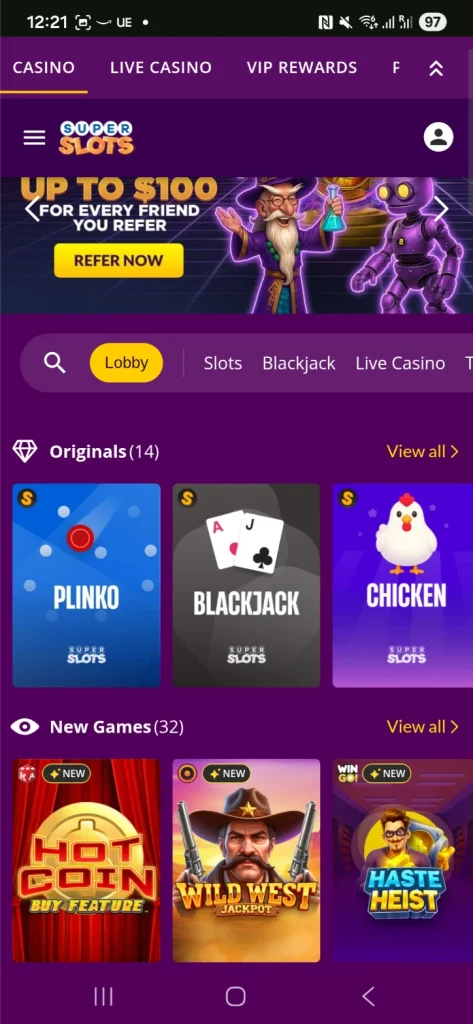
Super Slots lobby
#4Payout tested by us
Super Slots: Best for Finding a Slot Fast
Our Bitcoin payout5 h 58 minBitcoin from $20, no casino fee
Welcome offer
Up to $6,000
Promo code
OC250
Best for
Players who know what they want to play
Our take
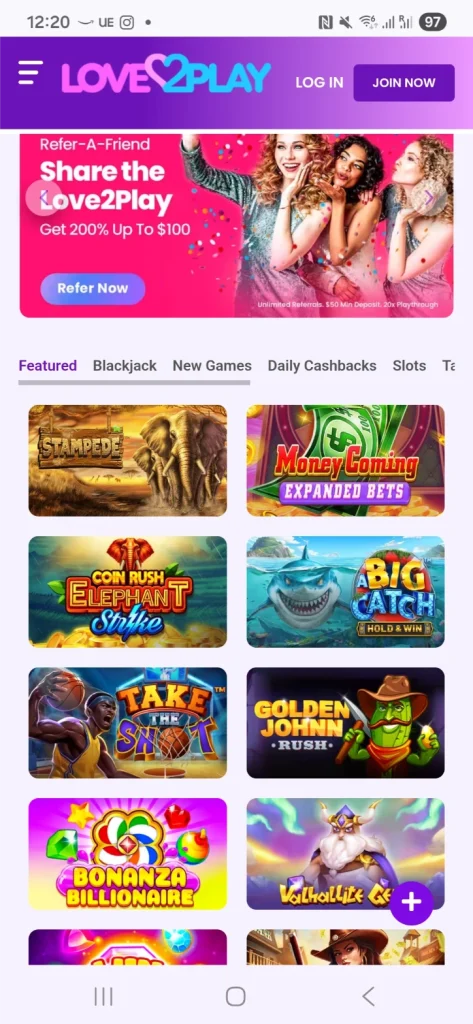
Super Slots suits a player who already has a game in mind. Search and categories sit at the top, and the tighter grid puts more titles on screen at once. Love2Play gives each game more room, while Super Slots gets more of the lobby in front of you. Pick the one that matches how you browse.
It’s not only slots. There’s blackjack, roulette, baccarat and video poker, including Jacks or Better, Deuces Wild and Joker Poker. The lobby stays upright, while some games switch to a wider layout. Bitcoin paid us in 5 hours 58 minutes, and our exclusive code OC250 gets you up to $6,000.
18+. Offers change, so check the cashier before you deposit.
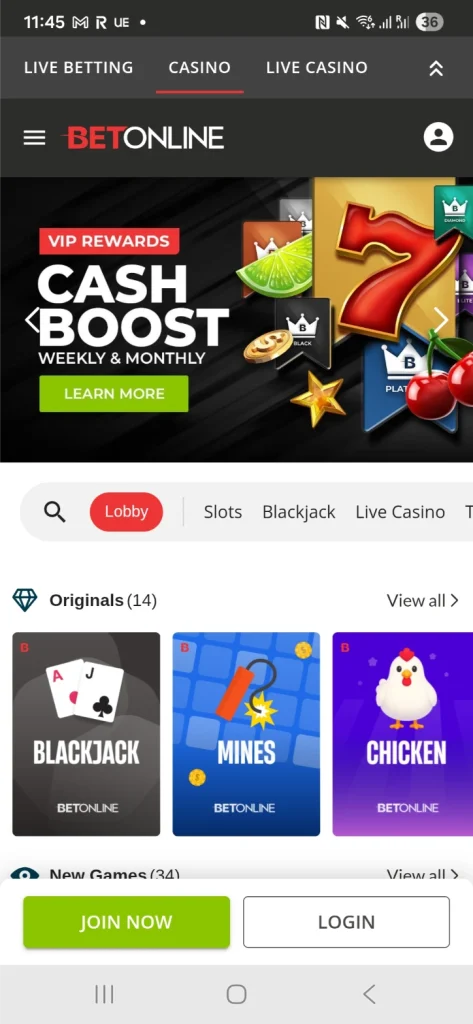
BetOnline lobby
#5Payout tested by us
BetOnline: Best Mobile Casino With Sports Betting
Our Bitcoin payout1 h 44 minCrypto paid 24/7
Welcome offer
100 free spins + 50% up to $250 in free bets
Promo code
FREE250
Best for
One account for casino, sports and racing
Our take
BetOnline makes sense if you bet on sports too. Sports, live betting, the casino, racing, rewards and the cashier all sit in the same mobile menu, and casino and live dealer games use your main balance. Your bet slip and open bets stay in reach as you move around.
Poker is the exception. It runs in its own mobile screen with a separate wallet, so move money across before you sit down. On the cashier side, BetOnline processes crypto 24/7, Bitcoin starts at $20 with no casino fee, and ours landed in 1 hour 44 minutes.
Why we like it
Bitcoin paid us in 1 hour 44 minutes
Crypto paid at weekends too
Sports, racing and casino on one balance
Watch out for
Poker uses a separate screen and wallet
Part of the welcome offer is free bets, so it suits sports bettors best
We open it on a phone Every casino goes into Safari or Chrome. We sign in, take our own screenshots and note anything that needs zooming.
We find a game Search, categories and how many games fit on screen, then whether the stake and spin button are easy to reach.
We check the cashier Deposit and withdrawal methods, minimums, fees and weekly caps, because a quick cashout matters less if a big win takes weeks to leave.
We cash out and time it From the moment we hit withdraw to the moment the money arrives. We’ve done that at 9 of the 10 casinos here.
Slots are the obvious start, but blackjack, live tables and poker all work on a phone when the casino gets the layout right. Here’s where we’d go for each.
Game
Where we’d start
What matters on a phone
Slots and jackpots
Cafe for Hot Drop Jackpots, Super Slots to search, Love2Play for bigger tiles
A clear stake and a spin button you can reach. Some slots play better sideways.
Blackjack
Wild, with single deck, 21 Burn and Pirate 21
Separate Hit, Stand, Double and Split buttons. The rules matter more than the table artwork.
Live dealer
Wild, Cafe, BetOnline or MyBookie
Room for the video, the bets and the timer. Turn the phone sideways for roulette.
Poker
Ignition, with Zone Poker and portrait tables
Tables that fit upright and a tournament list you can filter by buy-in.
Video poker
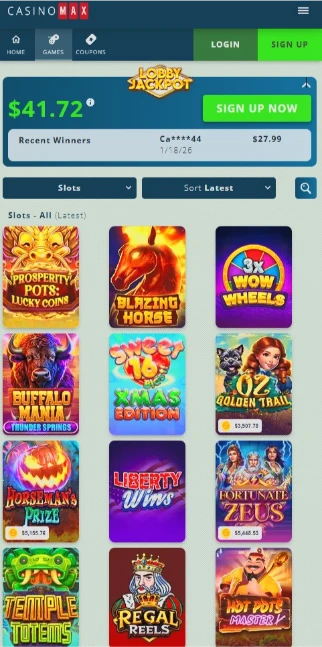
Wild, Super Slots or Casino Max
A readable paytable and clear Hold buttons. Multi-hand games are easier on a bigger screen.
Mobile Casino App or Browser: Which Should You Use?
All 10 casinos here work in Safari or Chrome, so you don’t need an app store download. You have three ways in.
Option
How it works
Good to know
Browser
Open the site in Safari or Chrome and sign in.
Nothing to install or update, and the same account works on your laptop.
Home screen icon
Save the site next to your apps.
It opens in its own window or a browser tab, depending on your phone. MyBookie offers this as a web app on Android. Steps below.
Native app
An app you install from a download link.
Not needed for any casino here. Ignition’s poker download is for desktop. Check who made any app before you install it.
How to Play on iPhone and Android
Here are the steps for both phones. If you’re reading this on one, we’ve put your phone’s steps first.
On iPhone (Safari)
Open the casino in Safari and sign in, or create an account. The games and cashier all work in the browser.
To save it, tap Share and choose Add to Home Screen. If you see Open as Web App, turn it on so it opens in its own window.
Name it and tap Add. Next time, use the icon or carry on in Safari.
On Android (Chrome)
Open the casino in Chrome and sign in. Use the categories or search to find a game.
To save it, tap the three-dot menu, then Install and create shortcut, then Create shortcut.
Keep the name or change it, then tap Add. You can also leave the site open in a tab.
Only install a casino app from the casino’s own site, and check the developer first. Apple’s Safari guide and Google’s Chrome guide have the full steps.
Mobile Casino Bonuses: What a $100 Deposit Gets You
The biggest headline isn’t always the best deal. Look at what your own deposit gets, how much betting stands between you and a cashout, and how long you have.
Assumes $100 qualifies. Bonus money comes with wagering, so it isn’t cash you can withdraw straight away.
Super Slots isn’t in the table because its offer is a package: up to $6,000 with our code OC250. OC2 and OC250 only work through OnlineCasinos2.
Read the wagering before the percentage
Slots Ninja’s 500% is the biggest match here, but it carries 50x wagering. Love2Play and Cafe use 40x. On a $150 bonus, 40x the bonus means $6,000 in bets before you can withdraw. If the 40x applies to your $100 deposit plus the bonus, it’s $10,000.
Mind the clock and the games
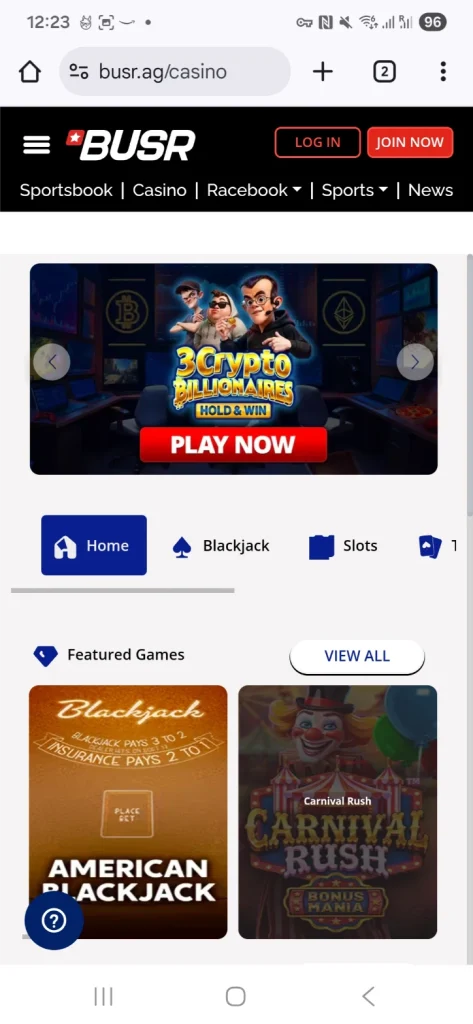
Cafe’s match expires after seven days and its Hot Drop Jackpot games count 0% toward wagering. Love2Play’s 350% is spread over three deposits, starting at 150%. BUSR adds 50% cashback to its match, so check how and when that’s paid in the cashier.
Bonus calculator
How much betting stands between you and a cashout?
Pick an example or type in your own bonus. You'll see how much you'd need to bet before you can withdraw, and what that betting costs on average.
$
%
$
x
%
%
Bonus you get
$150
Total you need to bet
$6,000
At $1 a spin, that’s
6,000 spins
Average cost to clear it
$240
On average, clearing it costs $90.00 more than the bonus is worth. Take it for the extra playing time, or skip it if you want to cash out quickly.
These are long-run averages, not predictions. A single session can land well above or below them. Max bet rules, cashout caps and game exclusions aren’t included, so read the bonus terms too.
You don’t have to take a bonus. For a short session on your phone and a quick cashout, playing without one is often simpler. Our casino promo codes page lists current offers.
Mobile Casino Deposits and Withdrawals
The cashier works from the same phone as your games. Check the withdrawal options before you deposit, because they’re not always the same as the deposit list.
Timed from request to money received. Casino estimates come from each casino’s own pages, checked October 2026.
MyBookie’s 47 minutes was our second withdrawal. The first took 24 hours while it checked our ID, so send your documents early. All our tests are in the instant withdrawal casino guide.
Paying in by card
Pick the card option and check the amount and any fee before you confirm. Cafe and Love2Play take Visa and Mastercard. A card that works for deposits isn’t always a way to withdraw, and at Wild a card deposit can mean a three-day wait before you cash out.
Paying in with crypto
Choose the coin and network in the cashier, copy the deposit address and paste it into your wallet app. Check the address, network and amount before you send. Copy and paste is easier than scanning a QR code on the same phone.
Cashing out
Open the withdrawal menu, choose a method and enter the amount and your wallet address. Send your ID early and finish any bonus wagering first, because those are the two things most likely to hold a payout. Bitcoin starts at $20 at BetOnline, Wild and Super Slots, and Ignition takes Lightning and Litecoin from $10.
Most phone problems fall into one of four groups. Start with the symptom, and check your game history before you repeat a bet after a frozen screen.
Problem
What to do
A spin froze
Reopen the game and check your balance and history. If the result is missing, give support the game name, time, stake and round number.
A live table keeps buffering
Pause, close other tabs and check your connection. If the phone feels hot, let it cool before you bet again.
Login keeps looping
Open the casino directly in Safari or Chrome. Clearing that site’s data can help, but make sure you know your login details first.
The controls run off the screen
Turn off desktop-site mode and rotate the phone if the game needs landscape. If the stake is still hard to read, try another game or a bigger screen.
Mobile Casino FAQ
What is the best mobile casino for real money?
Wild Casino is our first pick for slots, blackjack and live tables on a phone, and our exclusive code OC2 gets you 250% up to $9,000. Ignition is best for poker and paid us fastest, in 42 minutes. Cafe is our choice for jackpot slots.
Which mobile casino pays out the fastest?
In our tests, Ignition paid Litecoin in 42 minutes, Slots Ninja paid Bitcoin in 45 minutes and MyBookie in 47 minutes. BetOnline took 1 hour 44 minutes and Casino Max 2 hours 30 minutes.
Can I play real money casino games on an iPhone?
Yes. All 10 casinos here work in Safari. Sign in and the games and cashier are there, and you can save the site to your home screen so it opens like an app.
Do these mobile casinos work on Android?
Yes. All 10 open in Chrome on Android, and you don’t need an APK. MyBookie can also be added to your home screen as a web app.
Do I need to download a casino app?
No. Every casino here runs in your phone’s browser. A home screen icon makes it quicker to get back, but it isn’t the same as installing an app, and you don’t need one to play or cash out.
Which mobile casinos have live dealer games?
Wild, Cafe, BetOnline and MyBookie all have live tables. Turn your phone sideways for roulette, where the betting grid needs the room.
Can I play poker on my phone?
Yes. Ignition’s poker tables resize for portrait in the browser, Zone Poker is included and the tournament list can be filtered by buy-in. BetOnline’s poker runs in its own mobile screen with a separate wallet.
Can I withdraw winnings from my phone?
Yes. Open the withdrawal section, choose a method and enter the amount and destination. The same minimums, fees, ID checks and bonus rules apply as on a computer.
What are the OC2 and OC250 codes?
They’re our own codes, only available through OnlineCasinos2. OC2 gets you 250% up to $9,000 at Wild Casino, and OC250 gets you up to $6,000 at Super Slots.
Is the minimum deposit the same as the bonus minimum?
Not always. Love2Play takes crypto from $20, but its first bonus needs $50. Cafe’s welcome offer needs $20. Check the cashier minimum and the bonus minimum separately.
What happens if my connection drops during a game?
Check your balance and game history before you bet again. If the result is missing, note the game, time, stake and round number and contact support. A frozen screen doesn’t tell you whether the bet went through.
So, Which Mobile Casino Would We Choose?
For most players, Wild Casino: slots, blackjack and live tables that are easy to find on a phone, Bitcoin in under 4 hours and 250% up to $9,000 with our code OC2. Poker players should go to Ignition, which also paid us fastest. Jackpot fans should look at Cafe, and if you bet on sports, BetOnline keeps everything on one balance.
The National Problem Gambling Helpline offers free, confidential support by call, text and chat at 1-800-MY-RESET. Gambling should be fun. If it isn’t, take a break.
Keep a record of your deposits and withdrawals. US gambling winnings generally need to be reported, so see the IRS guidance on gambling income. Adults only.